Protecting client data in your private practice is non-negotiable. It’s a legal, ethical, and professional responsibility. A single breach could lead to hefty fines, licensing board complaints, and a loss of client trust. Here’s what you need to know:
- HIPAA Compliance: If you transmit health information electronically, you must follow HIPAA rules, including using compliant tools and signing Business Associate Agreements (BAAs) with vendors.
- Common Risks: Physical risks include unlocked files, lost devices, and improper disposal of records. Digital risks range from phishing scams to weak passwords and outdated software.
- Key Safeguards: Encrypt files, use secure communication tools, implement multi-factor authentication, and restrict access based on roles.
- HIPAA-Compliant Tools: Platforms like Voice CRM provide encryption, audit trails, and secure documentation separation.
- Physical Security: Use locked cabinets, shred documents securely, and limit office access.
3-Minute Guide to Protecting Patient Data HIPAA Training | Behavioral Billing
sbb-itb-ce1c1e8
Common Threats to Client Data in Private Practices
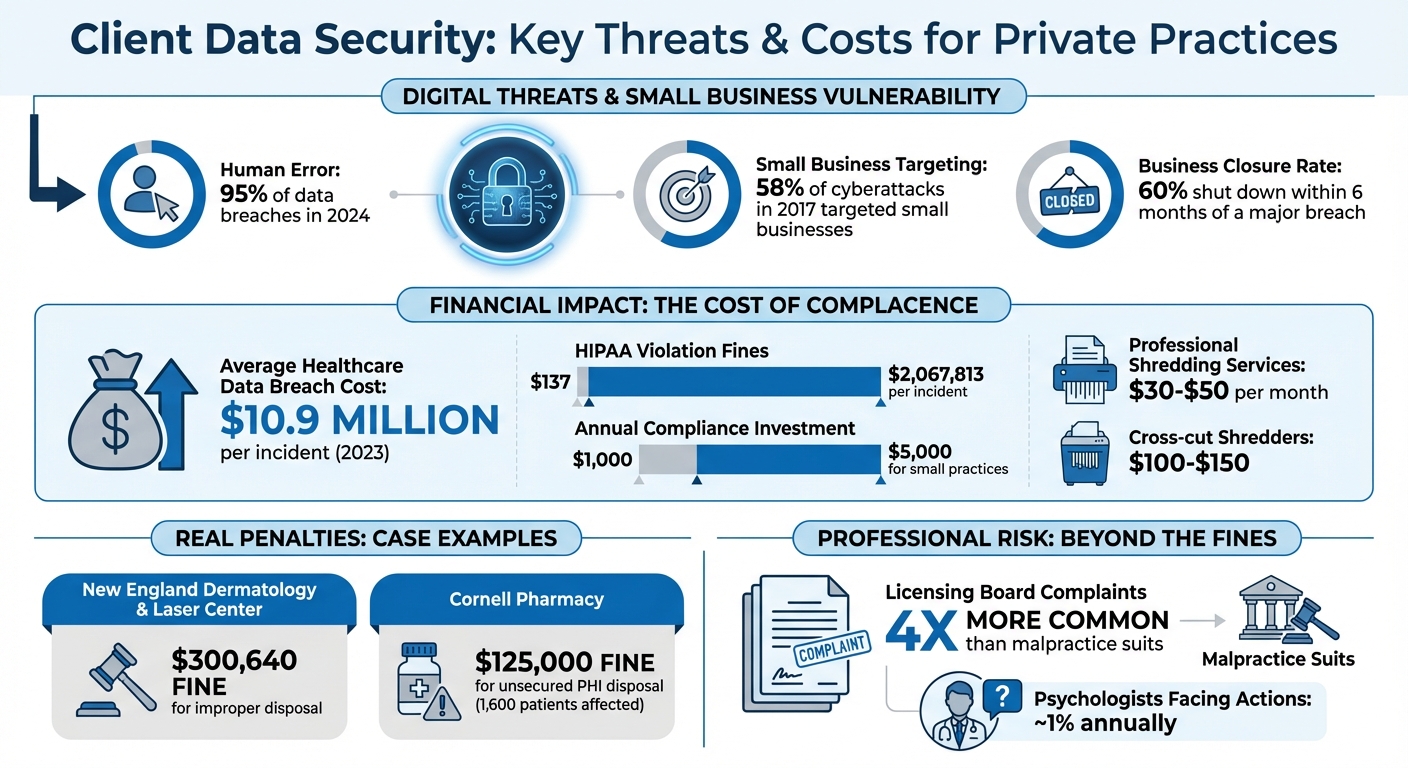
Client Data Security Threats and Costs for Private Practices
Your private practice isn’t immune to risks – both physical and digital. As Complydome warns, "It only takes a single unlocked door, unattended laptops, or misplaced USB drive to compromise thousands of patient records".
Physical Security Risks: Paper Files and Office Access
Physical security often gets overlooked, but it’s a real concern. Unauthorized access to your office – whether by visitors, cleaning crews, or subcontractors – can lead to sensitive data being exposed. For example, unsecured computer screens or paper files left out in the open can be easily compromised. Workstations in public areas, like the reception desk, are especially at risk of “shoulder surfing,” where someone glances over an employee’s shoulder to view confidential information.
Portable devices like laptops, tablets, and USB drives pose another challenge. If these devices are lost or stolen and lack encryption, client records could be exposed. Even improper disposal of paper files or outdated digital media can leave sensitive data vulnerable.
Then there are environmental risks. Fires, floods, or other disasters can permanently destroy physical records if you don’t have a solid backup and recovery plan in place.
While physical risks are concerning, digital threats require just as much attention.
Digital Security Risks: Cyber Threats
Human error is the leading cause of digital breaches – 95% of them in 2024, to be exact. Simple mistakes like sending an email to the wrong person, using weak passwords, or leaving systems logged in can create opportunities for cybercriminals.
Phishing scams are another major problem. These scams often trick busy employees into clicking on harmful links or downloading malicious files, leading to credential theft or malware infections. Ransomware attacks are particularly devastating; hackers encrypt your data and demand payment to unlock it. Alarmingly, in 2017, 58% of cyberattacks targeted small businesses, and 60% of those affected shut down within six months of a major breach.
Other risks include using unsecured networks (like public Wi-Fi) to access sensitive records, running outdated software with known vulnerabilities, and allowing unauthorized internal access when employees view records they shouldn’t. To combat these risks, practices must prioritize safeguards like multi-factor authentication and data encryption.
Using HIPAA-Compliant Software to Protect Client Data
HIPAA-compliant software is essential for safeguarding your practice from costly breaches and penalties. As of 2023, healthcare data breaches average a staggering $10.9 million per incident, while HIPAA violation fines range from $137 to $2,067,813 per incident. Without proper safeguards, you could be held personally responsible for any breaches.
To address both digital and physical vulnerabilities, HIPAA-compliant solutions use advanced encryption methods, like AES-256 for stored data and TLS 1.3 for data in transit, ensuring intercepted information remains unreadable. These platforms also require a legally binding Business Associate Agreement (BAA), which places legal responsibility for data protection on the vendor. As Sam T, Founder and CEO of Supanote, emphasizes:
"A Business Associate Agreement makes the AI company legally responsible for HIPAA compliance. Without a signed BAA, you’re personally liable for any data breaches".
Additional safeguards include multi-factor authentication and role-based permissions, restricting access to sensitive records to authorized personnel only. Platforms also maintain audit trails to log every access, modification, or export of client data and enforce automatic logouts after 5–15 minutes of inactivity to prevent unauthorized access. They even separate psychotherapy notes (your subjective reflections) from progress notes (official medical records), meeting legal requirements and protecting your clinical insights.
One important detail: popular tools like Zoom or Google Workspace only meet HIPAA standards on specific paid plans. Dr. John Torous, Chair of the APA Committee on Mental Health IT, explains:
"Often you can use the same product (such as Zoom) without a BAA, but to make it HIPAA compliant, a psychiatrist needs to use the version of Zoom that requires the signature of a BAA".
Also, avoid entering client data into consumer AI tools like standard ChatGPT, which lack both BAAs and the infrastructure to ensure compliance. Up next, we’ll look at how HIPAA-compliant platforms like Voice CRM provide advanced protection for client data.
How Voice CRM Protects Your Client Data
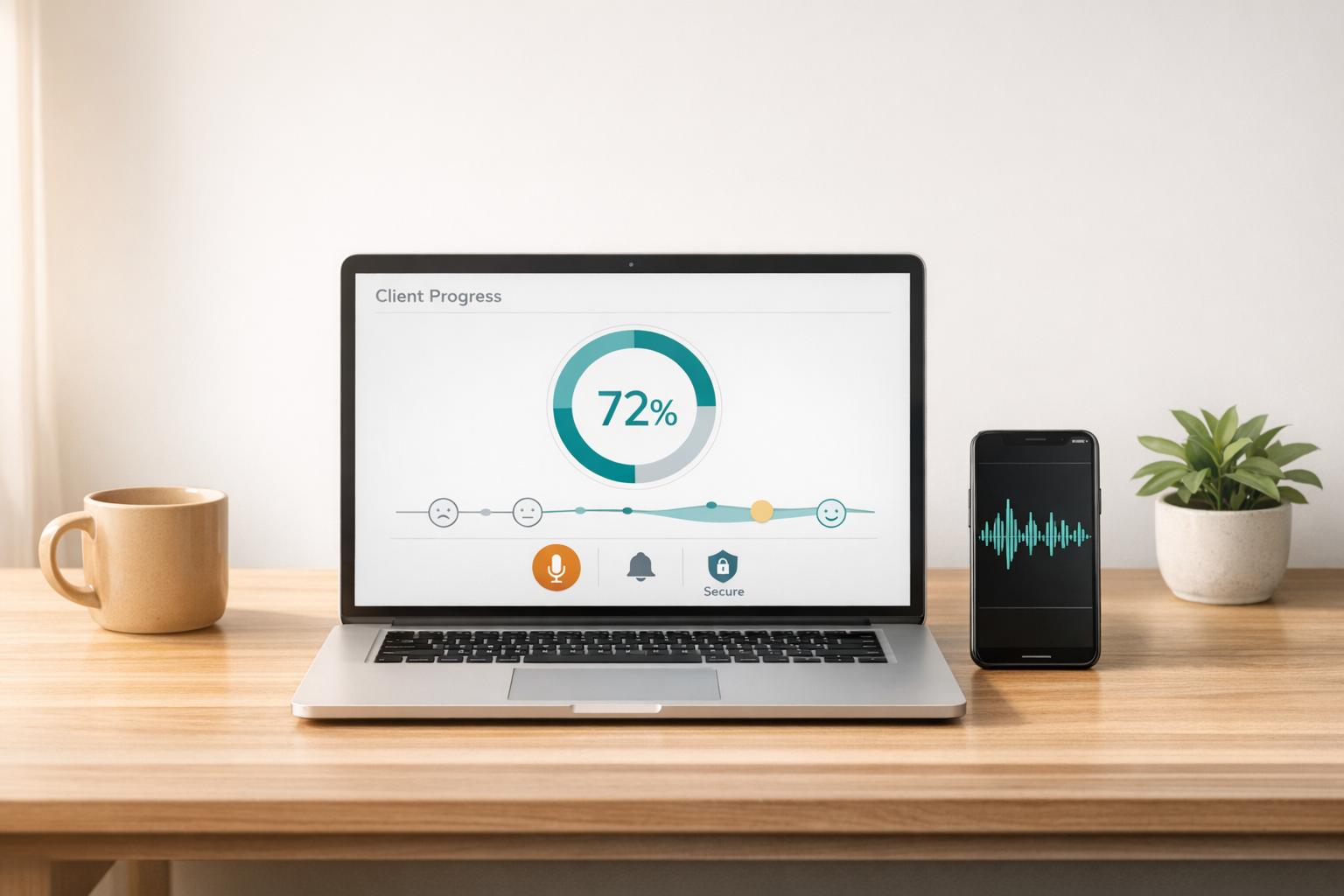
Voice CRM is specifically designed for mental health professionals, offering a seamless combination of security and efficiency. Every client record is secured with end-to-end encryption, ensuring protection both in transit and at rest. Features like voice-to-text transcription and mood tracking operate within a HIPAA-compliant, BAA-backed framework.
This platform automatically separates clinical documentation as required by HIPAA, keeping your subjective notes distinct from official treatment records. It also integrates essential safeguards, including unique user identification, session timeouts, and detailed audit trails that track who accessed what data and when. These protections are built into the system, so you don’t need to worry about additional setup.
Improving Practice Efficiency with Voice CRM
Voice CRM isn’t just about security – it also streamlines your practice operations. The voice-to-text transcription feature converts session recordings into structured notes in under five minutes, saving therapists over 10 hours per week while maintaining encrypted processing.
With thematic tagging, recurring session topics are tracked securely, helping you identify client progress patterns without exposing raw session content. The mood tracking tool visualizes client progress over time, offering valuable clinical insights while keeping data encrypted and access-controlled.
For supervisors and trainees, the supervision tracking feature simplifies caseload management and professional development. Interns can securely document their clinical work and track supervision hours without relying on unsecured spreadsheets.
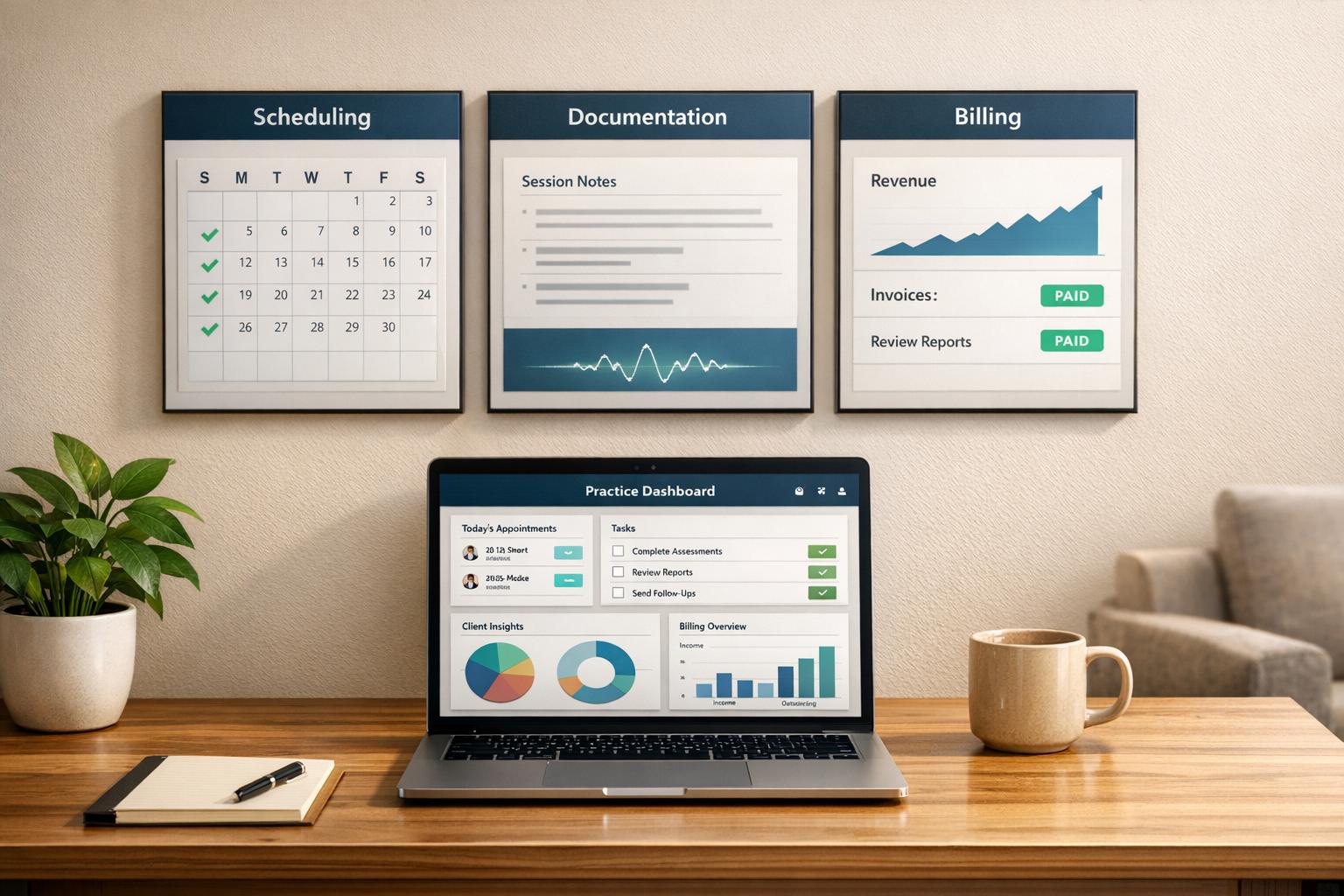
Additionally, the platform’s financial analytics and payment tracking tools keep billing information within a compliant system, eliminating the need to export sensitive data to external accounting software. Smart reminders help you stay on top of documentation deadlines – a critical feature, given that licensing board complaints occur at four times the rate of malpractice suits.
How to Secure Digital Client Records
Protecting digital client records goes beyond simply selecting HIPAA-compliant software. To truly safeguard sensitive information, you need to layer multiple security measures to guard against unauthorized access and potential breaches.
Encrypting Digital Files
Encryption is the process of converting client records into unreadable code, ensuring only authorized users can access them. For stored data – whether on servers, databases, or local drives – use AES-256 encryption to keep information secure. When transmitting data across networks, rely on TLS 1.2 or higher (TLS 1.3 is even better) to protect it during transit.
Devices that access client data, such as laptops or tablets, should have full-disk encryption enabled. Tools like BitLocker (Windows), FileVault (Mac), and LUKS (Linux) are excellent options. This ensures that even if a device is lost or stolen, the data remains secure. For cloud backups, confirm your provider offers a signed Business Associate Agreement (BAA) and encrypts data both at rest and in transit.
When it’s time to retire old devices, use FIPS-certified crypto-shredding or follow DoD 5220.22-M wiping standards to permanently erase data. As AccountableHQ advises:
"Use strong, modern cryptography with FIPS-validated modules where feasible: AES-256 for data-at-rest encryption, TLS 1.2+ (prefer TLS 1.3) with secure cipher suites for data in transit".
Once your files are encrypted, the next step is to ensure secure communication methods for sharing sensitive information.
Choosing Secure Communication Tools
Encrypting records is only part of the equation – data must also be protected during transmission. Standard email and text messaging are not secure enough for sharing Protected Health Information (PHI). Any communication tool you use – whether for email, messaging, or telehealth – should provide a signed Business Associate Agreement before handling PHI. Avoid using public Wi-Fi for transmitting client data; if a private network isn’t available, use a Virtual Private Network (VPN) instead. Additionally, enable remote wipe capabilities on mobile devices to erase data if a device is lost.
For email communications, avoid including client information in subject lines, as these are often unencrypted. Rob Reinhardt, CEO of Tame Your Practice, stresses the importance of secure communication:
"It’s imperative for all mental health professionals to be taking all reasonable steps to secure client information and communications".
Once your communication tools are secure, strengthen your defenses further with effective password policies and access controls.
Creating Strong Password Policies and Access Controls
Weak passwords are an open door for attackers. To avoid this, use long, complex passwords that combine letters, numbers, and symbols, steering clear of predictable patterns or common words. Never reuse passwords across different services – this prevents a single breach from compromising multiple accounts. Change passwords regularly, ideally every month.
Multi-factor authentication (MFA) is another essential safeguard. Enable MFA on all platforms, including your EHR system, email, and cloud storage, to add an extra layer of security.
To limit access to sensitive data, implement role-based access control. Each team member should have a unique login and only be able to access the information necessary for their specific job. For example, psychotherapy notes should be restricted to the treating clinician alone. This is particularly important, as human error was responsible for 95% of data breaches in 2024.
Securing Physical Client Files
Even in a digital age, paper records can be a weak link for many private practices. These physical files demand strong safeguards since HIPAA regulations apply just as firmly to paper as they do to digital records.
Storing and Organizing Paper Records
To protect physical client records, they should be stored in locked filing cabinets or secure storage rooms accessible only to authorized personnel. Psychotherapy notes, which are particularly sensitive, must be kept separate from general medical and billing files. These notes should have their own locked cabinet for added security.
Enhancing facility access is another layer of protection. Consider using keypad entry systems or badge readers, and keep a visitor log to track non-employee access. A clean desk policy is also essential – ensuring sensitive documents are locked away at the end of each day. As Complydome highlights:
"HIPAA’s physical safeguards are some of the most affordable, tangible, and effective forms of protection a practice can implement, especially compared to complex cybersecurity measures."
Proper storage is only part of the equation. Secure disposal of outdated documents is just as critical to prevent breaches.
Destroying Confidential Documents Safely
HIPAA mandates that paper records be destroyed in a way that makes them "unreadable, indecipherable, and unable to be reconstructed". This means strip-cut shredders won’t cut it – opt for cross-cut or micro-cut shredders, which typically cost between $100 and $150. For practices handling larger volumes, hiring professional shredding services is a practical option. These services usually charge $30–$50 per month but must sign a Business Associate Agreement (BAA) and provide a Certificate of Destruction after each shredding job. However, as Steve Youngman, VP Legal at Hushmail, cautions:
"A BAA doesn’t guarantee a vendor is doing everything right. It’s up to you to vet them – and review the relationship every year."
Failing to dispose of records properly can be costly. For example, in 2021, New England Dermatology & Laser Center faced $300,640 in penalties for discarding specimen containers with patient labels in regular dumpsters. Similarly, Cornell Pharmacy was fined $125,000 for placing documents with PHI from 1,600 patients in an unlocked, open container.
To stay compliant, maintain a destruction log for at least six years. This log should include the date, details of the records, the disposal method, and the name of the person responsible for the task. It’s a small step that can save your practice from significant penalties.
Conclusion
Keeping client data secure in your private practice is all about preserving the trust that forms the foundation of effective therapy. As mentioned earlier, privacy and confidentiality are essential for therapy to succeed. Every measure discussed in this article – whether it’s encrypting digital files or shredding paper records – plays a role in creating a solid security plan.
Starting with HIPAA-compliant tools like Voice CRM can make a big difference. This software offers end-to-end encryption, secure cloud storage, and automatic separation of psychotherapy notes from progress notes, all while simplifying documentation. Also, don’t overlook the importance of having a Business Associate Agreement (BAA) with any vendor that handles client data.
While technology is crucial, physical safeguards shouldn’t be ignored. Locked filing cabinets, cross-cut shredders, and well-maintained destruction logs are simple but effective ways to ensure paper records don’t compromise your security.
Human error is a leading cause of breaches, making regular HIPAA training and strong password practices essential. Scheduling annual training sessions for everyone in your practice – including interns and administrative staff – helps establish a culture of security awareness that can prevent avoidable mistakes.
On average, small practices spend $1,000–$5,000 annually on compliance tools, training, and audits. This investment not only protects client confidentiality but also shields your practice’s reputation and financial stability. With about 1% of psychologists facing licensing board complaints or malpractice actions, these precautions are vital for maintaining trust and integrity in your work. Together, these steps create a strong framework for safeguarding client data and ensuring your practice thrives.
FAQs
Do I need HIPAA if I’m a solo private practice?
Yes, even if you run a solo private practice, you’re required to comply with HIPAA regulations. These rules mandate that any covered entity handling protected health information (PHI) must have safeguards in place to protect client data. Failing to comply can result in hefty penalties, so it’s critical to ensure your practice aligns with these legal requirements.
What counts as PHI in emails, texts, and voicemails?
When it comes to emails, texts, and voicemails, Protected Health Information (PHI) includes any details that can identify a client and connect them to their health, treatment, or payment records. This could be anything from names and contact information to specifics about health conditions, appointment schedules, or the content of messages that disclose sensitive details. It’s essential to handle these communications with care to protect client privacy and comply with legal requirements.
What should I do first if I suspect a data breach?
If you think a data breach has occurred, the first thing you need to do is focus on containing and stabilizing the issue. Collaborate with your IT team or security experts to isolate any compromised systems, block unauthorized access, and ensure backups are secure. Taking swift action can help limit additional data loss and safeguard client information.