Clinical documentation can take up 30% to 50% of a therapist’s workday, costing practitioners both time and money – up to $72,000 annually for those managing 25–30 clients weekly. Writing session notes efficiently is not just about saving time; it ensures compliance, continuity of care, and legal protection. The key? Using structured templates, voice-to-text tools, and streamlined workflows to complete notes in under five minutes.
Key Takeaways:
- Use structured templates like SOAP, BIRP, or DAP to simplify documentation.
- Voice-to-text technology can speed up note-taking by 3x compared to typing.
- Include essential details: session date, client presentation, interventions, and progress.
- Ensure compliance with HIPAA by using tools with encryption and secure data handling.
By adopting these methods, therapists can reduce burnout, improve workflow, and focus more on client care.
HOW TO WRITE A THERAPY NOTE | Secrets to a three minute progress note with tutorial
sbb-itb-ce1c1e8
Select a Note Template That Works
If you want to master five-minute documentation, the first step is picking a structured template. Why? Because structured templates eliminate the guesswork and save you from starting fresh every time. They guide you to capture the essential clinical details without wasting time.
"Your clients need your clinical skills, not your novel-writing abilities. Keep notes clear, complete, and concise." – Supanote
For speed and efficiency, DAP notes are the way to go. While SOAP and BIRP formats are ideal for more detailed documentation, DAP notes simplify the process, making it possible to finish in just five minutes. SOAP notes, often used in medical settings, are great for practices that deal heavily with insurance. On the other hand, BIRP notes are tailored for mental health professionals focusing on behavioral observations and interventions.
SOAP, BIRP, and DAP Format Basics
Here’s a quick breakdown of the three formats:
- SOAP (Subjective, Objective, Assessment, Plan): This format organizes notes into four sections – Subjective (client’s report), Objective (clinical observations), Assessment (professional interpretation), and Plan (next steps).
- BIRP (Behavior, Intervention, Response, Plan): Designed for therapeutic settings, this format emphasizes what happens during sessions. Behavior captures your observations, Intervention records the techniques used, Response notes the client’s reaction, and Plan outlines the follow-up steps.
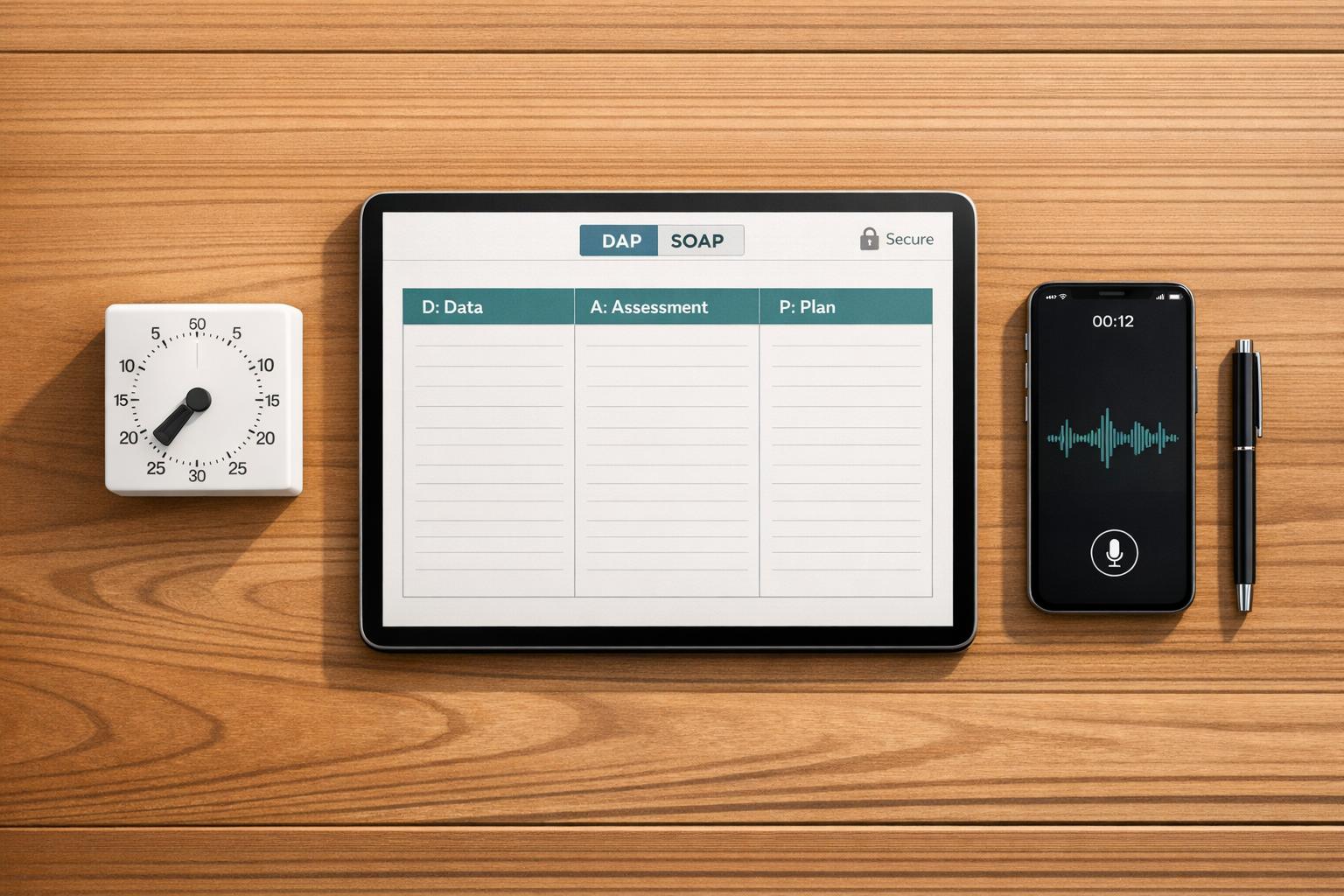
- DAP (Data, Assessment, Plan): DAP combines subjective and objective details into a single Data section, saving time by reducing the need for detailed separation. It’s perfect for private practices managing routine cases where simplicity is key. Using DAP can cut documentation time by 30–40% compared to SOAP.
Customize Templates in Voice CRM
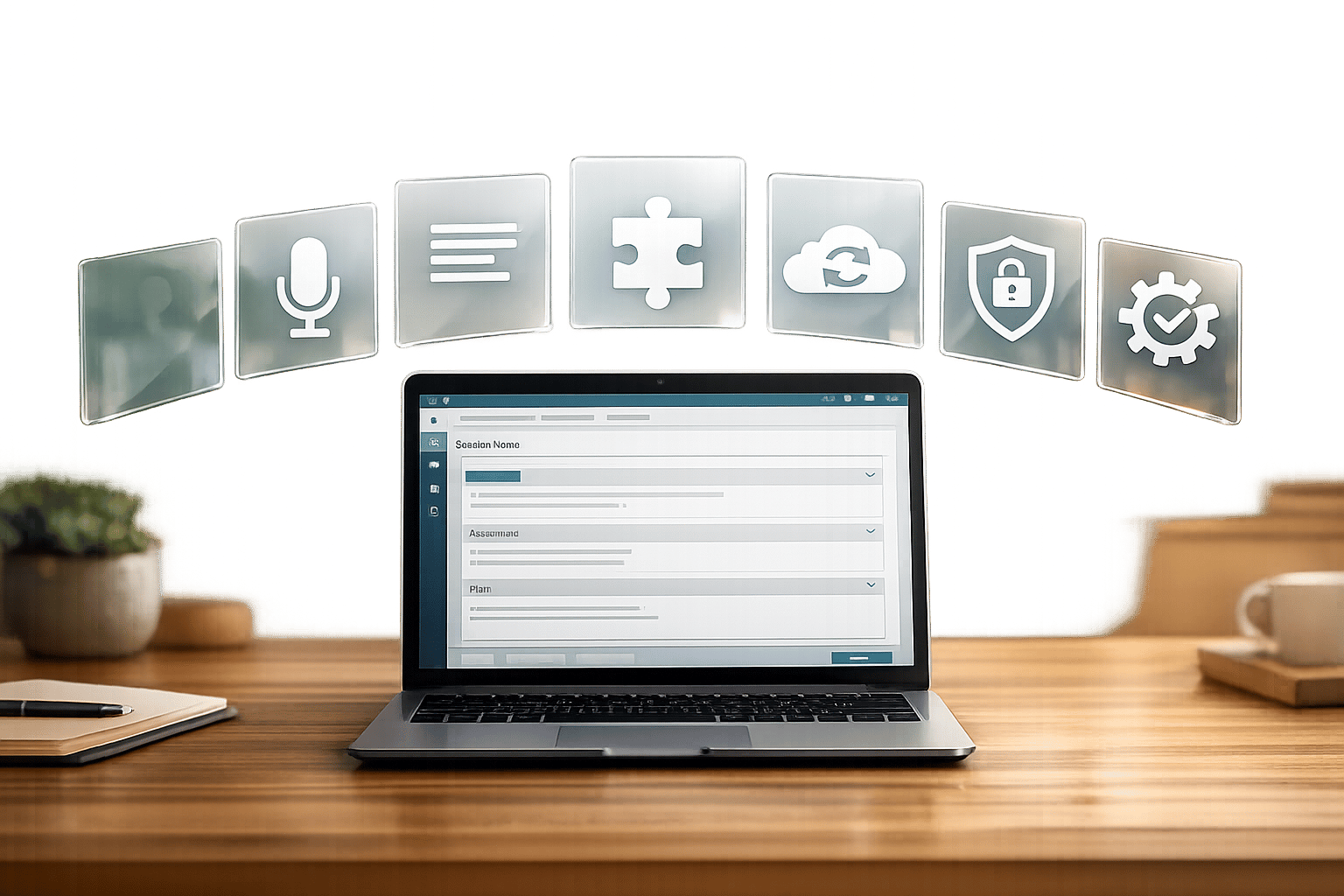
Voice CRM takes these formats a step further by offering customizable templates tailored to your practice. Its structured fields guide you through each section, helping you capture critical details like risk assessments and treatment progress. You can also create a Personal Phrase Library to quickly insert frequently used clinical terms, saving even more time. For added efficiency, diagnosis-specific templates focus on what matters most. For example, when documenting depression, the template highlights fields for mood, energy levels, and sleep patterns. For anxiety, it prompts you to note worry patterns and physical symptoms.
Up next, let’s explore how to document key session details quickly using structured fields.
Document Key Session Details Fast
Once you’ve chosen your template, the next step is figuring out exactly what to include. The aim? To capture all the necessary details for compliance and maintaining clinical quality.
What to Include in Every Note
To ensure compliance, every session note should include these eight key elements:
- Administrative essentials: Record the date of service, session duration (start and end times), CPT codes for billing, and your signature with credentials.
- Clinical presentation: Note the client’s observable mood, affect, behavior, and appearance.
- Subjective reports: Include the client’s own words about their symptoms, concerns, or updates.
- Interventions and modalities: Specify the therapeutic techniques you used – like cognitive behavioral therapy (CBT), EMDR, or motivational interviewing – and how they were applied.
- Client response: Describe how the client responded, whether they were receptive, resistant, or reflective.
- Progress tracking: Document progress toward treatment goals to validate medical necessity.
- Risk assessment: Address the presence or absence of suicidal or homicidal ideation, intent, and any safety plans in place.
- Future plan: Outline homework assignments, referrals, and the focus for the next session.
"Documentation requirements exist to protect both clients and practitioners, yet the burden of compliance actively harms the wellbeing of providers." – DownloadChaos
Aim to keep notes concise – between 150-400 words – and complete them within 24 hours (or no later than 72 hours) to maintain accuracy. Voice CRM integrates this checklist into its structured fields, helping to ease the load of manual data entry.
Use Structured Fields in Voice CRM
Once you know what’s required, Voice CRM simplifies the process with structured fields. Instead of starting with a blank screen, you’re guided through dropdown menus for mood descriptors (e.g., anxious, depressed, stable), checkboxes for common therapeutic interventions (e.g., CBT techniques, grounding exercises), and prompts for risk assessment, such as suicidal ideation screens and protective factors.
Voice CRM also includes fields for clinical observations like affect, grooming, eye contact, and speech patterns, along with progress indicators to track treatment goals. Options like "significant", "moderate", "minimal", or "regressed" make it easy to document progress. This structured system ensures all required elements are covered while keeping documentation time under five minutes.
Use Voice-to-Text for Faster Notes
With structured templates simplifying session details, voice-to-text technology takes efficiency to the next level. Typing therapy notes can eat up a lot of time, but voice-to-text lets you speak your notes instead of typing them. On average, people speak around 100 to 130 words per minute, while typing typically maxes out at 35 to 40 words per minute. That means dictation can be about three times faster, significantly reducing the time spent on documentation.
Dictate Notes During or After Sessions
Voice CRM’s voice-to-text feature transforms your spoken words into editable text instantly. After a session, all you need to do is click the microphone icon, dictate your observations, and stop recording. The transcription appears right away, ready for you to review and edit. There’s no need for special training – just summarize the session in a professional tone.
Dictating right after a session helps you take full advantage of this time-saving tool. Details like tone of voice, specific client quotes, and subtle behaviors are much easier to recall within minutes of the session than hours later. More than 22% of mental health clinicians spend over 10 minutes on each note. By using voice dictation alongside structured templates like SOAP or BIRP, most therapists can finish their notes in under five minutes.
Once you’ve quickly captured your notes, they are protected with robust HIPAA-compliant security measures.
HIPAA-Compliant Security for Voice Data
When working with sensitive patient information, security is a top priority. Voice CRM ensures all voice data is protected with end-to-end encryption – TLS 1.2+ for data in transit and AES-256 for data at rest. The platform also provides a signed Business Associate Agreement (BAA), which is legally required for tools handling Protected Health Information (PHI). Additionally, your client data and session recordings are never used to train AI models, guaranteeing complete privacy.
"Using non-compliant tools puts patient data at risk – and exposes your practice to fines of up to $1.5 million per violation category." – Whisperit Guide for Healthcare Professionals
For best results, always dictate in a private space to avoid capturing background conversations. While Voice CRM’s advanced speech recognition achieves 99% accuracy with medical terms and clinical details, it’s still important to review the transcription before saving it to the permanent record.
Follow a 5-Minute Documentation Process
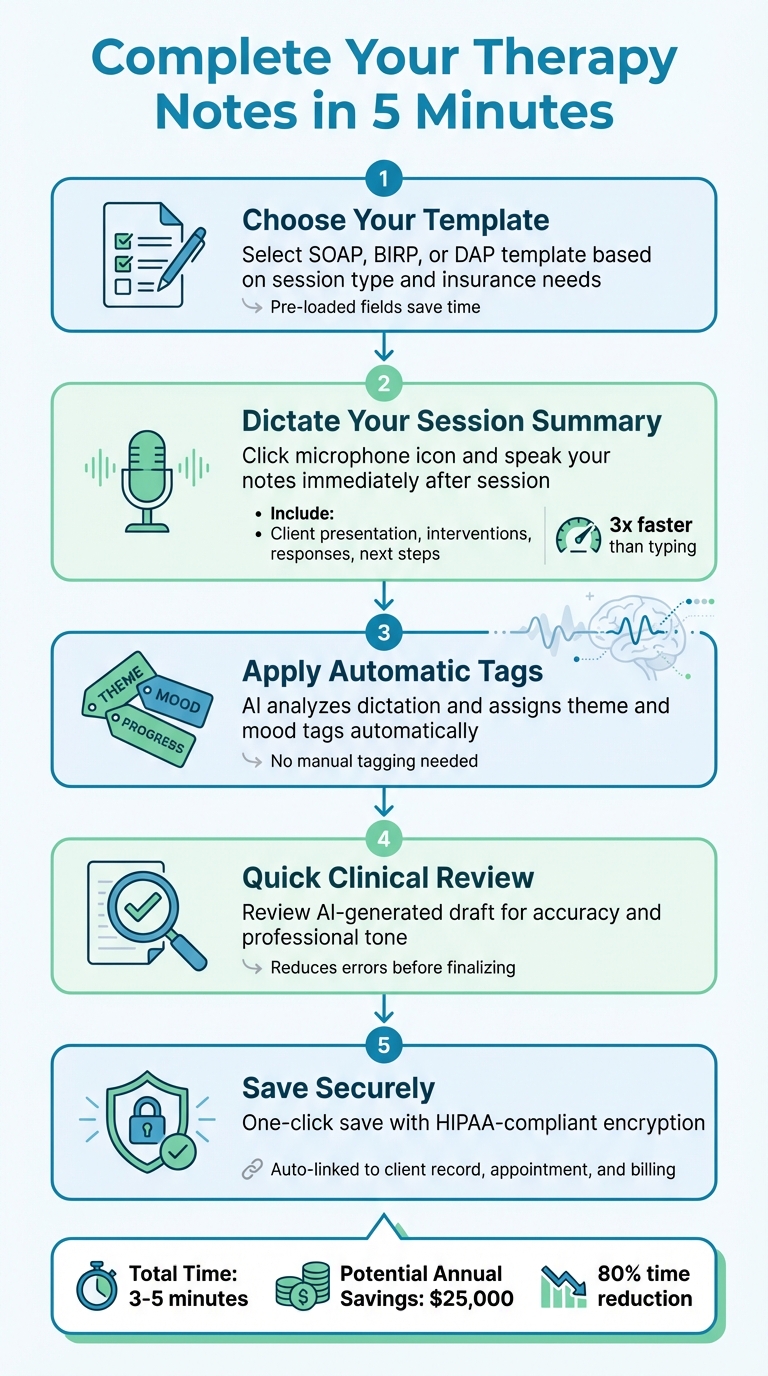
5-Minute Therapy Note Documentation Process
Using templates, voice dictation, and smart automation, you can simplify your workflow without compromising on clinical quality or compliance. With Voice CRM’s tools, you can wrap up your session notes in just five minutes.
5 Steps to Complete Your Notes
- Choose Your Template: Start by selecting a template that fits your session type and insurance needs – whether it’s SOAP, BIRP, or DAP. Voice CRM preloads these templates with key fields to save you time.
- Dictate Your Session Summary: Right after your client leaves, hit the microphone icon and dictate the session details. Include the client’s presentation, interventions, their responses, and next steps. This voice-to-text feature speeds up the process significantly.
- Apply Automatic Tags: Voice CRM uses AI to analyze your dictation and automatically assigns theme and mood tags. This feature highlights clinical themes and emotional patterns, eliminating the need for manual tagging.
- Conduct a Quick Clinical Review: Check the AI-generated draft for any errors, confirm client details, and ensure the tone is professional. This step reduces mistakes before finalizing your note.
- Save Your Note Securely: With one click, save your note in a HIPAA-compliant system that uses end-to-end encryption. The note is automatically linked to the client’s record, appointment, and billing information.
Voice CRM doesn’t just speed up documentation – it also simplifies your overall administrative workload.
Track Payments and Analytics Alongside Notes
Voice CRM goes beyond quick note-taking by integrating practice management tools into a single platform. You can monitor payment statuses directly within client records, log supervision hours, and generate compliance reports – all without switching between different systems. Plus, built-in financial analytics provide a clear view of metrics like average revenue per session, outstanding receivables, and monthly income trends. These insights help you make smarter decisions about scheduling and growing your practice.
Meet HIPAA Requirements Automatically
Voice CRM takes the hassle out of HIPAA compliance, allowing you to focus on what matters most – clinical care. The platform integrates AES-256 encryption to secure client data both at rest and in transit, ensuring your session notes are protected while meeting HIPAA’s technical safeguards.
To ensure full compliance with HIPAA’s Security Rule, Voice CRM logs every action, including record access, modifications, and failed login attempts. It also enforces role-based access, meaning therapists only see their own client records while administrators retain oversight, limiting access to the minimum necessary.
Sensitive audio recordings are automatically deleted after transcription, reducing the risk of retaining unnecessary data. This feature not only minimizes exposure to breaches but also simplifies secure record-keeping. Additionally, Voice CRM provides a signed Business Associate Agreement (BAA), which legally transfers data protection responsibilities to the platform in accordance with HHS requirements.
The stakes are high. According to IBM‘s 2023 Cost of Data Breach Report, HIPAA violations can cost practices an average of $10.9 million, with penalties ranging from $137 to over $2 million per incident. Voice CRM helps shield your practice from these financial risks. Features like multi-factor authentication add an extra layer of protection, preventing unauthorized access through phone or email verification.
Conclusion
The combination of voice-to-text technology, structured templates, and automation can drastically cut down the time spent on documentation while ensuring compliance. Imagine reducing the time it takes to write therapy session notes from 20–30 minutes to just 3–5 minutes. That’s about an 80% time savings, which could translate into an additional $25,000 annually if the extra time is used for more client sessions.
Voice CRM takes your spoken words and converts them into organized, HIPAA-compliant notes that integrate seamlessly with your practice management system. With built-in encryption, audit logs, and a Business Associate Agreement, it ensures your practice remains secure. Features like automatic deletion of session recordings after transcription further lower the risk of data breaches.
This streamlined approach gives you more freedom to focus on providing quality care. By cutting down on administrative tasks, you can stay fully present with your clients while maintaining precise clinical records. It’s a win-win: less burnout for you and better outcomes for them. Voice CRM turns note-taking from a tedious task into a seamless part of your workflow, helping you spend more time where it matters most – on your clients.
Set up your templates once, let the platform handle the formatting and compliance, and start dictating notes after each session. You’ll save time, keep your practice secure, and have more breathing room between appointments.
FAQs
Which note format should I use for my practice?
Choosing a note format that blends efficiency with compliance is key. Two popular formats are SOAP notes (Subjective, Objective, Assessment, Plan), which offer a structured and detailed approach, and DAP notes (Data, Assessment, Plan), which focus on simplicity. To save time while staying HIPAA-compliant, consider using templates or voice-to-text tools. The best choice ultimately depends on your workflow, legal requirements, and how much detail your practice demands.
How can I stay HIPAA-compliant when dictating notes?
When dictating notes while adhering to HIPAA rules, prioritize tools that process speech directly on your device. This approach limits exposure to third parties and helps safeguard client privacy. By keeping transcription local, you reduce the chances of data breaches since no information is uploaded to the cloud. Also, make sure your methods for exporting and storing data follow HIPAA’s privacy and security standards.
What should I do if voice-to-text makes a mistake?
When using voice-to-text, mistakes can happen. Always take the time to review and correct the transcription to ensure it’s accurate. Even though tools tailored for therapists may help minimize errors, it’s crucial to double-check your notes before considering them final. Adding a quick review step to your workflow can help maintain clarity, accuracy, and compliance in your therapy documentation.