Creating custom therapy note templates saves time, improves accuracy, and ensures compliance with legal and insurance standards. Generic templates often include irrelevant fields that slow you down, while personalized templates streamline your workflow and align with your clinical needs. Here’s a quick overview of how to create them:
- Choose a Base Format: Start with a structure like SOAP, DAP, BIRP, or GIRP depending on your practice.
- Add Specific Fields: Include sections tailored to your specialty, such as mood tracking, screening tools, or group dynamics.
- Use Automation Tools: Platforms like Voice CRM offer voice-to-text transcription and smart reminders to simplify documentation.
- Test and Refine: Adjust templates based on your workflow to make them faster and more effective.
Custom templates also help maintain continuity across sessions, track client progress, and meet HIPAA requirements. Tools like Voice CRM ensure security with encryption and compliance features. By focusing on relevant details and leveraging technology, you can reduce documentation time while maintaining high-quality records.
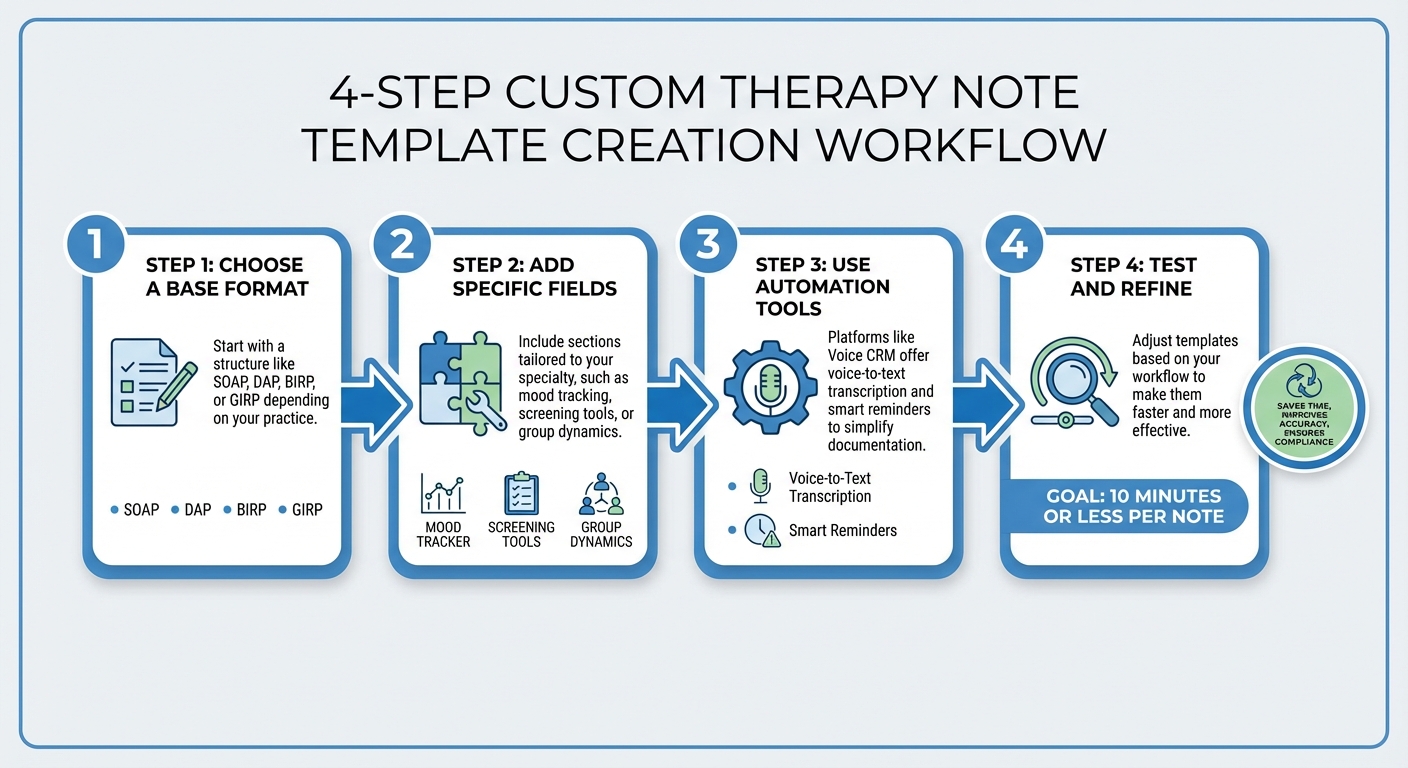
4-Step Process to Create Custom Therapy Note Templates
Core Components of Therapy Note Templates
Required Sections
Therapy notes need to include key details to comply with professional and legal standards. Start with the client’s identifier, your credentials, and the session’s date and time (formatted as MM/DD/YYYY, including start and end times). Clearly indicate the session type – whether it was individual, group, or family therapy – and specify the location, such as in-person or telehealth.
Focus on documenting four main clinical areas:
- Subjective Report: Capture the client’s feelings, symptoms, and experiences in their own words.
- Objective Observations: Note your observations of the client’s appearance, behavior, mood, and affect.
- Assessment: Evaluate progress, identify risk factors, and summarize clinical impressions.
- Interventions and Responses: Detail the techniques or strategies you used during the session and how the client responded.
"Progress notes must be objective, focusing on factual reporting to ensure professionalism, legal soundness, and client privacy."
– HealOS
Wrap up each note with a clear plan for the future. This might include homework assignments, referrals, or scheduling the next session. Most insurers require notes to be completed within 24–48 hours. Typically, therapy notes are concise, ranging from 150 to 300 words, and can be written in about 5–10 minutes. Once you’ve established these foundational elements, you can adjust your template to suit your practice’s needs.
Optional Fields for Specific Practice Needs
Beyond the essentials, you can customize your template to better align with your specialty. For example, if you work with clients managing depression or anxiety, include fields for standardized screening tools like PHQ-9 or GAD-7. For EMDR practitioners, adding sections for SUDS (Subjective Units of Distress Scale), as well as positive and negative cognitions and body sensations, can simplify documentation.
Dr. Maelisa Hall suggests a strategic approach: write your notes in full sentences for six months, then analyze a sample to identify the most common interventions and phrases you use. Incorporate these into your template as checkboxes or dropdown menus, while leaving an "other" option with a blank field for unique details.
"The key here is to reflect what actually happens in the room with your clients. So if you are constantly assessing anything, that should be included. And if you’re not, then including it would be a waste of your time and a meaningless action."
– Dr. Maelisa Hall, Psychologist
Custom fields not only allow for more precise documentation but can also make the process faster. Platforms like Voice CRM offer tools to add features such as mood tracking, thematic tags, supervision notes, and CPT code fields. Its voice-to-text functionality integrates seamlessly with both required and optional sections, enabling you to dictate your notes naturally while the platform organizes them into your personalized format.
sbb-itb-ce1c1e8
How to Create Custom Therapy Note Templates
Step 1: Choose a Base Template Format
Custom templates allow you to tailor your documentation to fit your clinical needs. Start by selecting a standard format that complements your workflow. For instance:
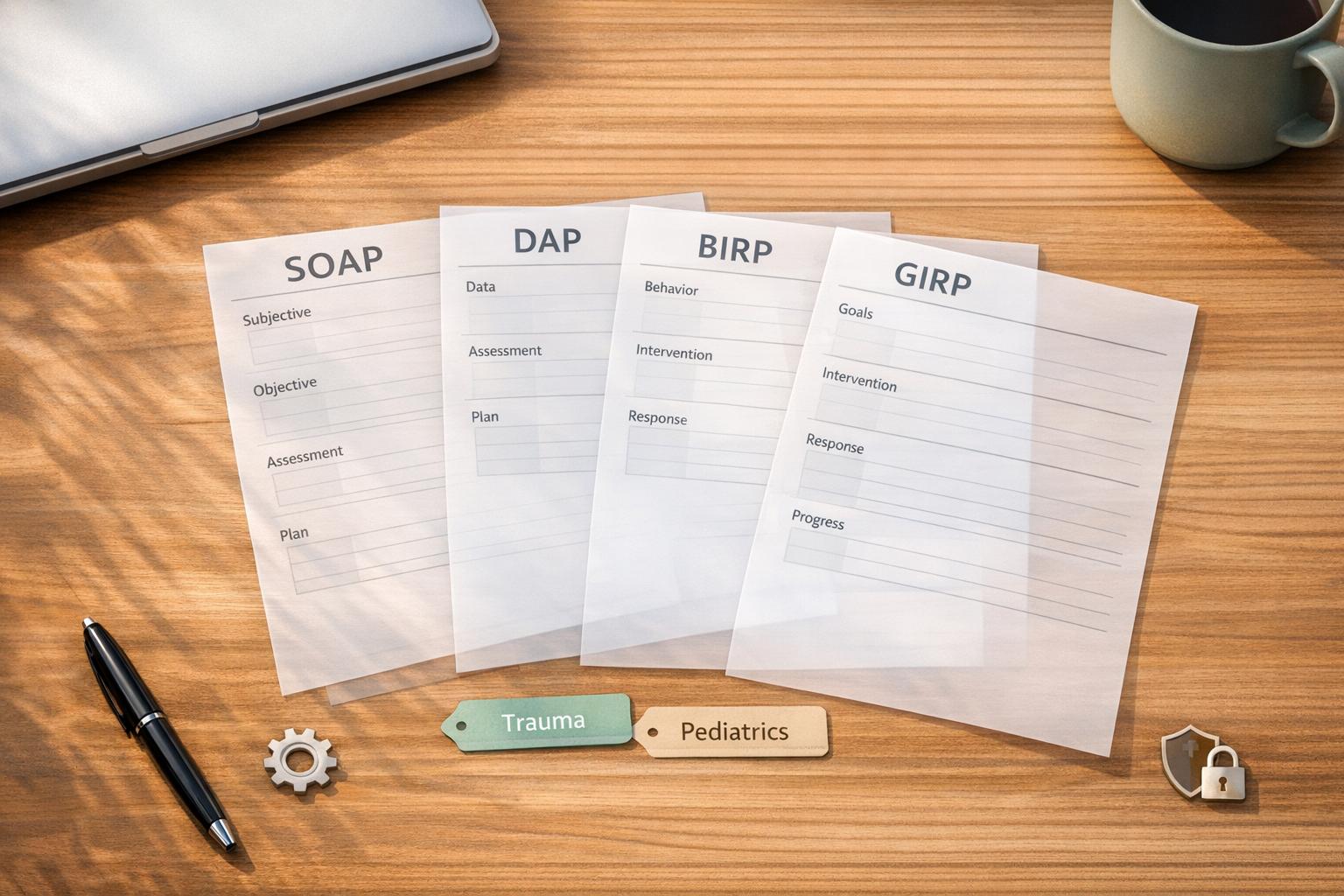
- SOAP (Subjective, Objective, Assessment, Plan): Ideal for multidisciplinary teams as it provides a comprehensive structure.
- DAP (Data, Assessment, Plan): Combines subjective and objective data into a single "Data" section, making it well-suited for private practices or high-volume environments.
- BIRP (Behavior, Intervention, Response, Plan): Focuses on documenting specific behaviors and interventions, which is particularly helpful for behavioral health and addiction counseling.
- GIRP (Goals, Intervention, Response, Plan): Emphasizes measurable progress toward treatment goals, a great fit for goal-oriented therapy and social work.
Choosing a base format ensures your documentation meets clinical, insurance, and legal standards. After deciding on the format, you can tweak it to fit your practice’s unique workflow while maintaining a structured foundation.
Step 2: Customize with Specific Fields
Once you’ve picked a base format, adapt it by adding fields relevant to your specialty. For example:
- EMDR-focused practices might include sections for cognitions, body sensations, and SUDS (Subjective Units of Distress Scale).
- Depression-focused practices could benefit from mood ratings and sleep pattern tracking, while anxiety-focused practices might add fields for triggers and coping strategies.
- Group therapy notes may need sections for group dynamics and individual participation, and school-based therapy notes should reference IEPs or 504 plans.
- Telehealth sessions require precise documentation to ensure compliance with regulations, especially since inadequate documentation has contributed to improper Medicare payments in the past.
By tailoring your template to your practice’s focus, you’ll enhance both efficiency and accuracy.
Step 3: Leverage Automation Tools
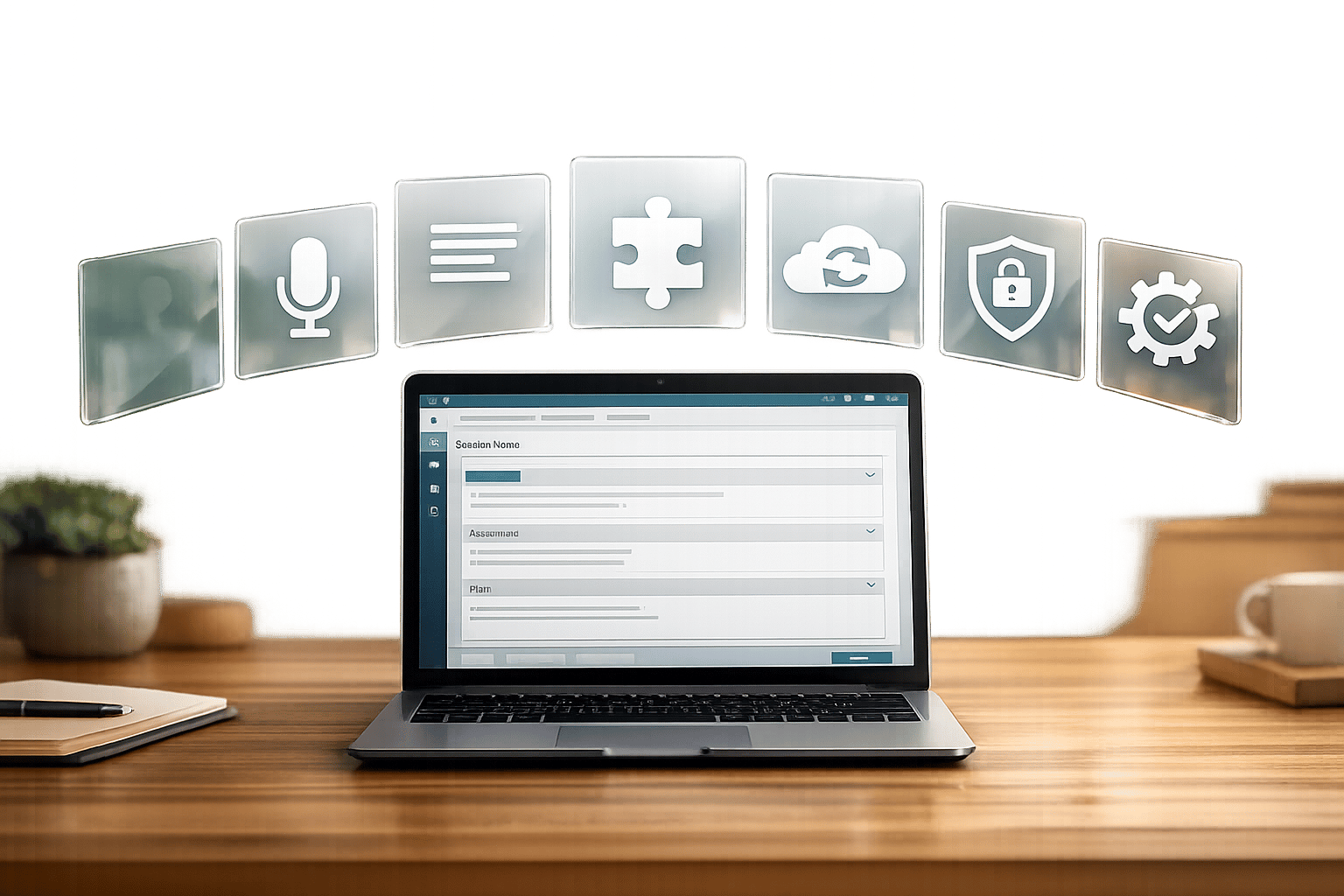
Automation tools can drastically reduce the time spent on documentation. For instance, platforms like Voice CRM offer voice-to-text transcription and smart reminders. These features let you dictate notes naturally while organizing them into your custom template, ensuring all sections – including custom fields like mood tracking or payment details – are completed.
Automation also helps flag missing information, keeping your notes audit-ready. This is particularly valuable considering that physicians currently spend an average of 15 hours per week on documentation, a burden that AI tools can cut by up to 80%.
Step 4: Test and Refine Your Templates
Once your template is automated, test it for about two weeks. Track how long it takes to complete each note and identify any sections that feel unnecessary or incomplete. Ideally, aim to spend no more than 10 minutes per note to keep your workflow manageable.
Review a sample of completed notes to identify trends. If you find yourself repeatedly entering the same interventions, consider adding checkboxes or dropdown menus with an "other" option. Conversely, remove fields that consistently go unused. The goal is to design a template that reflects what happens in sessions, not one that slows you down with unnecessary details.
Maintaining Security and Compliance
HIPAA Compliance Guidelines
When creating custom therapy note templates, it’s crucial to follow federal guidelines to protect client information. The Privacy Rule ensures that templates only access the minimum necessary Protected Health Information (PHI) for treatment, payment, or healthcare operations. Meanwhile, the Security Rule requires technical safeguards like access controls, audit trails, and 256-bit encryption to secure data during transmission.
If you’re using a software vendor to create or store these templates, they must sign a Business Associate Agreement (BAA). This agreement legally obligates them to protect your data and outlines their responsibilities in case of a breach. Ignoring requirements like conducting a Security Risk Analysis or securing a signed BAA could result in fines of up to $2.1 million annually for willful neglect. Even minor violations can cost around $140 per incident.
By February 16, 2026, practices must revise their Notice of Privacy Practices to include protections for Substance Use Disorder records and inform patients of their right to opt out of certain data uses. Additionally, you’ll need to complete and document a Security Risk Analysis, which involves cataloging all devices (e.g., laptops, tablets, EMRs) and implementing plans to prevent unauthorized access. In the event of a breach, affected individuals must be notified within 60 days, while your Business Associate is required to alert you within 24 hours of detection.
When documenting, use objective language – describe observable behaviors like "client clenched fists" rather than subjective interpretations like "client was angry". Keep psychotherapy notes (your personal reflections) separate from progress notes, as they receive special HIPAA protections and are excluded from the official medical record.
How Voice CRM Ensures Compliance
Voice CRM is designed to help you meet these compliance requirements without added stress, integrating key safeguards into its platform.
The system secures all client data and notes with end-to-end encryption, ensuring protection both during transmission and while stored. This aligns with the upcoming 2026 requirement for 256-bit encryption across all records. Built specifically for licensed therapists, the platform operates on HIPAA-compliant infrastructure with a private-by-design model, ensuring that only you have access to your data.
Voice CRM’s voice-to-text transcription feature makes it easy to document sessions right after they happen. Unlike general-purpose tools, Voice CRM includes the necessary BAA and guarantees that your PHI isn’t used to train AI models. For iOS users, the system adds hardware-backed encryption triggered by device passcodes and Face ID, offering an extra layer of security. With these features, you can confidently create and customize templates while staying compliant with regulatory standards.
Custom Note Templates Tutorial in HelloNote EMR | Personalize Your Clinical Notes
Conclusion
Custom therapy note templates make documentation quicker and more efficient while ensuring clinical accuracy. By cutting out unnecessary sections and focusing on relevant details, you can save time while maintaining high-quality records. These templates also play a key role in ensuring smooth collaboration with other providers by keeping notes clear and well-organized.
To create effective templates, review 6–12 months of past notes to identify 5–10 commonly used interventions and responses. Incorporate these into your template while leaving room for flexibility with blank fields or free-text options to capture unique session details. This balance enhances note quality and supports consistent care.
Custom templates also help identify client patterns over time and strengthen trust. Having quick access to past interventions and avoiding previously ineffective approaches allows for more personalized and effective treatment plans.
Tools like Voice CRM make the process even easier with features like voice-to-text transcription, thematic tagging, and end-to-end encryption. These capabilities ensure secure and efficient note creation while aligning documentation with your clinical workflow and compliance requirements.
FAQs
Which note format should I use (SOAP, DAP, BIRP, or GIRP)?
The most frequently suggested formats for therapy notes include SOAP, DAP, BIRP, and GIRP. Each format provides a distinct framework for recording client progress. Among these, SOAP and DAP are especially favored. Select the format that complements your clinical style and documentation requirements to create clear and effective progress notes.
What fields should I include for my specialty without making notes too complex?
To make your notes more effective, stick to fields that are directly relevant to your area of expertise. These might include client symptoms, treatment goals, progress updates, and specific interventions. By customizing fields to fit your practice, you can keep your documentation clear and efficient, avoiding the clutter of unnecessary or overly generic details. This way, your notes stay focused and practical without becoming overwhelming.
How do I customize templates while staying HIPAA-compliant?
When designing therapy note templates that comply with HIPAA regulations, it’s crucial to focus on protecting client privacy while including only the information necessary for treatment. Avoid overloading the template with unnecessary details and stick to the essentials.
Tools like VoiceCRM can be incredibly useful. They offer secure data management systems and voice-to-text transcription, making it easier to maintain accurate records without compromising security.
Additionally, ensure that all templates and client data are stored on HIPAA-compliant platforms. These platforms are specifically designed to meet the stringent security and privacy standards required to safeguard sensitive information. By limiting data collection and using secure storage solutions, you can better protect client confidentiality.